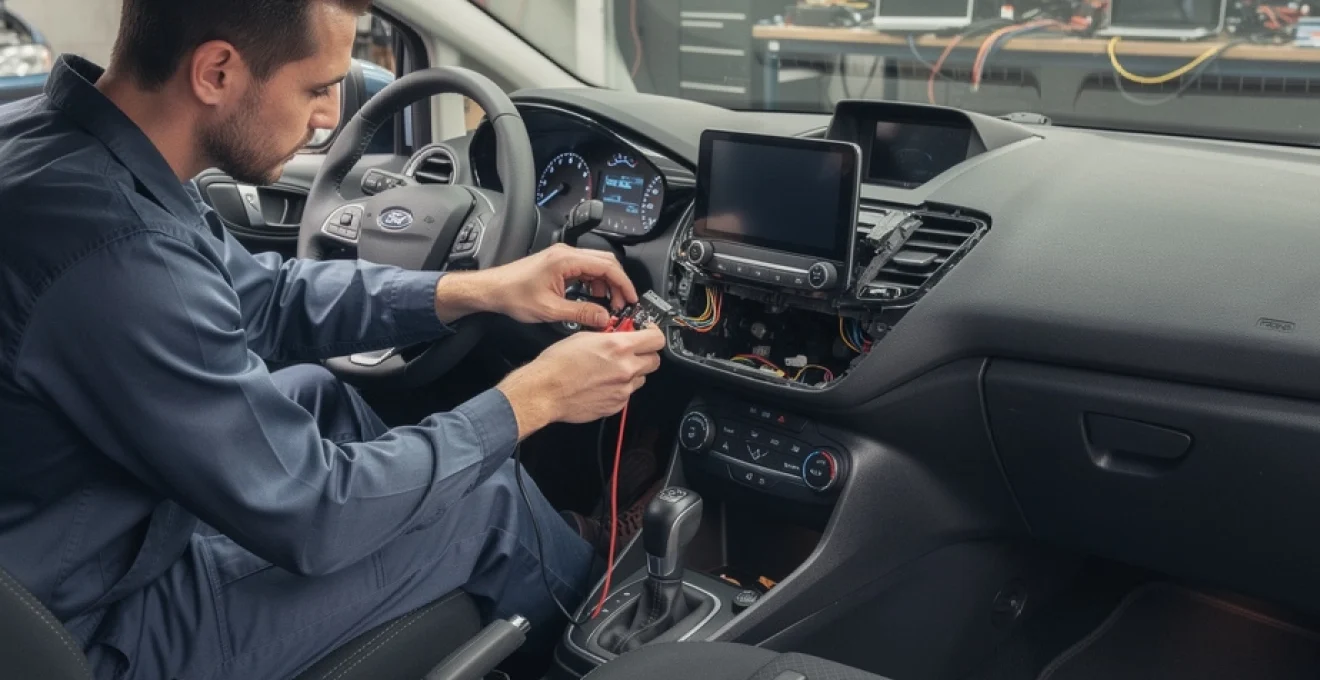
A silent Ford Fiesta can turn even a short commute into a slog, especially when the radio goes dead without warning. Whether you drive a Mk6 with a classic 6000CD unit or a newer Mk8 with SYNC and DAB, a non‑working radio often signals a mix of electrical, software, and mechanical issues rather than a single obvious fault. Understanding how the Fiesta’s audio system is built, how it talks to the rest of the car, and how common faults present will save you time, money, and a lot of guesswork. Instead of swapping random parts, you can follow a structured approach and narrow the fault down to fuses, power, wiring, or the head unit itself.
Radio failures on the Fiesta are particularly common between 5 and 12 years of age, when wiring looms start to fatigue and earlier infotainment systems become glitchy. Add aftermarket alarms, Bluetooth kits, or Android head units to the mix and the chances of something going wrong increase further. The goal here is to give you enough detail to speak confidently with a Ford dealer or an independent auto electrician, and if you are handy with tools, to carry out safe, logical tests yourself without risking damage to the vehicle’s electronics.
Common ford fiesta radio failures by model year (mk6, mk7, mk7.5, mk8) and head unit type
Identifying factory-fitted radio systems (6000CD, sony DAB, SYNC, SYNC 2, SYNC 3)
The first step in diagnosing a Ford Fiesta radio not working is to identify which factory head unit or infotainment platform is fitted. Each generation has its own typical failure pattern and knowing the exact model influences both testing and replacement options. Broadly, Mk6 (2002–2008) cars used the classic 6000CD and 4500 RDS EON units, often with basic Bluetooth add‑ons. Early Mk7 (2008–2012) introduced the three‑piece system with separate control panel, CD box, and dash display, including optional Sony systems and later basic SYNC 1 integration. Facelift Mk7.5 (2013–2017) moved more firmly into SYNC‑based infotainment, while Mk8 (from 2017) brought tablet‑style touchscreens with SYNC 3 and full smartphone integration.
Visually, the easiest identifiers are the front panel layout and presence of a central screen. The 6000CD has a large volume knob with numbered preset buttons, while the Sony DAB system usually has a piano‑black fascia and circular button array. SYNC 2 systems use a larger, more square screen with soft keys, whereas SYNC 3 systems rely heavily on touchscreen interaction with fewer hard buttons. Correctly naming your system when searching online or speaking to a specialist dramatically improves the relevance of any guidance you receive and avoids buying incompatible replacement parts.
Recognising symptoms: dead screen, no sound, intermittent power, locked keypad
A Ford Fiesta radio that suddenly stops working can present in several distinct ways, each pointing to different root causes. A completely dead screen with no backlight, no audio, and no response from buttons often suggests a power supply or internal failure of the front panel electronics. In many Mk7 cases, the radio will still quietly play a CD in the background, but the control panel is totally unresponsive, indicating that the brain of the unit is alive while the user interface is not.
No sound with an apparently healthy display usually indicates speaker circuit issues, amplifier failure, or misconfigured audio settings. Intermittent power, where the radio cuts out over bumps or after a certain time, can be a sign of loose connectors, poor earth, or failing internal components that are sensitive to temperature. A locked keypad, “CODE” request, or “LOCKED 10” message points squarely at the anti‑theft system doing its job after a battery change or incorrect code entries. Each symptom cluster narrows the diagnostic path if treated methodically.
Differences in radio faults between pre-facelift (2008–2012) and facelift (2013–2017) fiesta
Pre‑facelift Mk7 Fiestas (late 2008–2012) commonly suffer from failed front control panels, particularly the part around the hazard and lock buttons, while the actual CD/radio metal box keeps working. Owners report situations where a CD starts playing automatically but no buttons respond, including the volume control, which is both frustrating and diagnostic gold. Replacement of the front panel only, matched by part number such as 8A6T‑18K811‑BD, often restores full function without needing to change the screen or CD unit.
Facelift Mk7.5 cars with updated SYNC integration tend to exhibit more software‑driven issues: frozen screens, Bluetooth disappearing, or audio sources failing to switch correctly. Here, firmware, module resets, and CAN‑Bus communication checks are more important than simply swapping fascia panels. Another trend seen by many independent specialists is door‑loom fatigue becoming more common as these cars age, particularly affecting speaker outputs and causing intermittent sound or channels cutting in and out when doors are moved.
Aftermarket head units (pioneer, kenwood, android units) and model‑specific wiring issues
Upgrading a Fiesta to a Pioneer, Kenwood, or Android head unit can significantly improve usability, but it also introduces new failure points. Many radio problems on modified cars trace back to incorrectly adapted wiring harnesses, poor crimping, or lack of proper CAN‑Bus interfaces to handle steering controls and ignition feeds. For example, if the CAN‑Bus interface is missing or incorrectly programmed, the radio may not receive an accessory signal and stay permanently off or on, leading to flat batteries.
Android units often draw more power and are more sensitive to voltage drops than OE radios. When combined with older batteries or corroded grounds, these systems can reboot frequently or lose audio. In some cases, the original Ford amplifier or antenna amplifiers are left unpowered because the new radio’s “remote” or “ANT” output has not been connected, causing very poor FM/DAB reception and “no sound” complaints. Careful checking of the ISO or Fakra adapter wiring against the unit’s pinout is essential whenever aftermarket hardware is present.
Initial electrical diagnostics: fuses, power supply, and ground testing on a ford fiesta
Locating and checking audio system fuses in the passenger and engine bay fuse boxes
Before assuming a dead head unit, a disciplined check of the Fiesta’s fuses is essential. The radio and display power fuses are usually located in the passenger compartment fuse box (behind the glove box or under the dashboard, depending on model) and, on some models, in the engine bay fuse box. Common references such as fuse F19 powering the radio and instrument cluster on certain 2009 cars highlight how a single fuse can feed multiple systems; cluster dials may still work even if the radio portion of the circuit is compromised elsewhere.
A visual inspection of the fuse blades is not always reliable. For accurate testing, use a test lamp or multimeter on the fuse tops with the ignition in the relevant position. If a fuse has blown, replacing it once is reasonable. If it blows again, suspect shorted wiring or an internal short in the radio itself. Fuse ratings must be respected; fitting a higher‑amp fuse to “fix” repeated blowing risks loom damage and even fire, particularly on older Mk6 and Mk7 cars where insulation may already be brittle.
Using a multimeter to verify 12V feed and ignition live at the radio ISO / fakra connector
With fuses confirmed, the next step in diagnosing a Ford Fiesta radio not switching on is verifying power at the back of the radio. Remove the radio or front panel carefully and access the ISO or Fakra connector. On most units there will be a permanent 12V supply, an ignition‑switched feed, and one or more ground pins. A digital multimeter allows you to check for 12V between the permanent feed and ground with the ignition off, and for 12V between the ignition feed and ground with the key in position II.
If permanent live is present but the ignition live is missing, the radio will often remain dead or behave erratically. In contrast, if both are missing, look further upstream at shared power feeds, connectors, and the Body Control Module (BCM). Intermittent voltage, such as a feed that floats between 8–10V under load, suggests high resistance or partial breaks in the wiring rather than a simple open circuit. Recording these readings under different key positions provides crucial evidence when talking to a professional.
Testing radio earth/ground continuity and voltage drop under load
Ground faults account for a surprisingly high proportion of Ford Fiesta radio failures, especially on cars more than a decade old. A corroded earth point can still show continuity with a basic continuity test, yet fail under load. To assess this properly, connect the radio, set it to a high volume (if it powers up), and measure the voltage between the radio’s ground pin and the battery negative terminal. A voltage drop greater than 0.2–0.3V under load indicates poor grounding.
Cleaning and re‑securing chassis earth points, especially those near the A‑pillars and behind the dashboard, can restore stable operation without replacing any modules. Think of current like water in a pipe: if the outlet is partially blocked with limescale, the water still flows but not enough under demand. The same applies to a corroded earth: the radio may power up, but audio may distort, cut in and out, or the unit may reset when volume is increased.
Inspecting CAN-Bus and MS-CAN wiring for corrosion, breaks, or poor connections
Modern Fiesta radios do not operate in isolation; they communicate with the rest of the car via high‑speed CAN‑Bus or MS‑CAN lines. If these twisted‑pair wires are damaged, corroded, or poorly connected, the radio might lose its “wake‑up” commands, ignore steering wheel controls, or fail to display vehicle information. Common trouble spots include connector blocks behind the glove box, under the centre console, and anywhere previous owners may have spliced in aftermarket devices.
A CAN‑Bus fault can mimic a dead radio even when power and ground are fine. Diagnostic tools that can read the BCM, Audio Control Module, and related networks will show whether the radio module is online. If the module does not appear, suspect a wiring or module failure. If it appears with multiple communication errors, look for high resistance or shorts to ground on the CAN lines rather than immediately replacing the head unit.
Ford fiesta radio not switching on: ignition feed, BCM faults, and key position issues
Diagnosing ignition switch and ACC feed problems when the radio is permanently off
When a Ford Fiesta radio will not turn on at all, yet fuses and permanent power are present, the ignition switch and accessory (ACC) feeds move to the top of the suspect list. Wear inside the ignition barrel or switch can lead to a situation where the dash lights and engine seem normal, but the specific contact feeding the radio fails. Lightly wiggling the key in position II while monitoring voltage at the radio plug can sometimes reveal inconsistent feeds that point to internal switch wear.
On some model years, the ACC signal is generated or conditioned by the BCM rather than coming directly from the switch contacts. In these cars, software glitches, water ingress, or internal BCM faults can interrupt the command that wakes the audio system. If you notice other ignition‑related issues—such as intermittent wipers, blower, or power windows—appearing alongside radio failure, consider the ignition switch and BCM as part of a shared diagnostic picture rather than an isolated entertainment problem.
Body control module (BCM) faults affecting audio power supply and wake-up signals
The BCM in a Fiesta acts as the traffic director for many non‑engine functions, including interior lighting, central locking, and in many cases the audio power logic. When the BCM does not send a wake‑up signal over the CAN‑Bus, the radio can remain permanently off even with perfect power and ground. Moisture ingress—often from blocked scuttle drains or leaking windscreens—can corrode BCM connectors and cause a range of unpredictable faults, with audio problems just one symptom.
Professional diagnostics using Ford‑specific tools can interrogate BCM fault codes and monitor live data for audio wake signals. In some cases, a BCM software update or reflash resolves intermittent behaviour, particularly on early SYNC‑equipped vehicles. In others, internal hardware failure requires BCM repair or replacement accompanied by immobiliser programming. Because of the security implications, BCM work is best handled by experienced technicians rather than DIY methods.
Checking for parasitic drain and battery voltage drops causing radio shutdown
A Fiesta radio that randomly turns off, especially under high load, may be reacting to low system voltage rather than having an internal failure. Modern head units often shut down gracefully when voltage drops below around 10.5–11V to protect themselves. If your battery is marginal, or there is a parasitic drain overnight, the radio may be the first visible victim even though the engine still cranks. Measuring battery voltage at rest (aim for around 12.5V), during cranking, and with the engine running (13.8–14.4V) helps identify weak charging or storage.
Parasitic draw tests—using an ammeter in series with the battery—can reveal excessive current consumption with the car locked and asleep. Figures above 50–80mA on a modern Fiesta are a red flag. Aftermarket trackers, dash cams hard‑wired incorrectly, and always‑on USB chargers are common culprits. A radio shut‑down that coincides with these low‑voltage events is often protective behaviour, not the root cause.
Evaluating aftermarket alarm or immobiliser installations that interrupt radio circuits
Aftermarket security systems fitted to older Fiestas frequently intercept ignition and accessory feeds in order to immobilise or simulate presence. Unfortunately, years later, these splices can oxidise or loosen, causing intermittent or total loss of power to circuits feeding the radio. If your Fiesta has a non‑factory alarm, remote start, or immobiliser, inspect installation points around the steering column, fuse box, and behind the dashboard for Scotch‑locks, twisted joins, or non‑OEM connectors.
Professional opinion strongly favours returning critical feeds to OEM routing wherever possible. Removing outdated alarm hardware and properly soldering or crimping the original circuits can dramatically improve electrical reliability. In more than one case, restoring factory wiring has cured “radio dead, but everything else fine” symptoms that had frustrated owners for months.
No sound from ford fiesta radio: speaker circuits, amplifier failure, and wiring looms
Testing front and rear speaker outputs with a test speaker or oscilloscope
When a Ford Fiesta radio powers on, changes station, and appears healthy but plays no sound, the focus moves to speaker circuits and amplifier stages. One of the simplest tests involves connecting a known‑good test speaker directly to each pair of speaker output wires at the back of the head unit. If the test speaker produces audio on some channels but not others, suspect wiring to that specific corner of the car or a partially failed amplifier chip.
An oscilloscope provides a more refined view, allowing you to see audio waveform presence even if the speaker itself is faulty. This is particularly useful when diagnosing subtle issues such as heavily distorted output or imbalance between left and right channels. In the absence of such tools, swapping door speakers between sides can reveal whether the fault follows the speaker or stays with a particular output channel.
Diagnosing integrated amplifier failure in ford 6000CD and sony head units
The 6000CD and Sony head units used across Mk6 and Mk7 Fiestas contain integrated amplifier ICs that can fail after repeated thermal cycling or due to shorted speaker wires. Symptoms range from total silence to one side cutting out, low volume, or distorted audio regardless of source. These failures are becoming more common as the fleet ages, with some independent repairers reporting amplifier IC replacement as one of their most frequent Fiesta jobs.
Repair usually involves disassembling the head unit, desoldering the old IC, and fitting a new, compatible chip, often along with fresh thermal compound and attention to any dry joints. For owners who value originality or wish to avoid re‑coding or fascia conversion, amplifier repair can be more cost‑effective than full replacement. In contrast, if the fascia panel is also faulty, sourcing a complete used unit—ideally with matching part numbers—may make more financial sense.
Inspecting door loom wiring in fiesta mk7 and mk8 for broken or shorted speaker wires
Repeated opening and closing of the doors places mechanical stress on the wiring looms running through the rubber gaiters between the A‑pillar and doors. Over time, copper conductors can fracture inside the insulation, especially on driver’s doors that see the most use. Broken or partially broken speaker wires can cause intermittent crackling, fading sound, or complete loss of a channel when the door is moved or in certain positions.
Inspection involves peeling back the rubber gaiter and gently flexing each wire while monitoring continuity or listening for changes in sound. If a break is found, replacement of the affected section with high‑quality automotive cable and proper soldered joints, protected by heat shrink, offers a durable fix. Quick twists and tape repairs often fail within months, leading to repeat issues and further frustration.
Understanding ford fiesta audio configuration: base, sony upgrade, and external amp setups
Fiesta audio systems are not all wired the same. Base models route speaker outputs directly from the head unit, while upgraded Sony systems or premium packs may use an external amplifier, subwoofer, or extra speakers. Misunderstanding this configuration leads to many “no sound” misdiagnoses when swapping radios. For example, fitting a basic head unit to a car with an external amp without connecting the remote turn‑on wire leaves the amplifier asleep and the speakers silent.
A simple configuration table helps clarify expectations:
| Fiesta audio spec | Typical head unit | Amplifier layout | Common fault pattern |
|---|---|---|---|
| Base system | 6000CD / basic SYNC | Internal only | Total silence from all speakers when amp IC fails |
| Sony upgrade | Sony DAB / Sony SYNC | Internal + possible small external amp | One side weak or distorted due to partial IC failure |
| Premium / subwoofer pack | Sony or SYNC 3 | Dedicated external amp | No sound if remote wire or power feed to amp lost |
Before replacing hardware, confirm whether your Fiesta includes an external amplifier, where it is located, and how it is powered. A missing or blown amplifier fuse can mimic a dead head unit, yet the fault lies entirely downstream.
Ford fiesta radio locked or asking for code: anti-theft security and code retrieval
Decoding ford 6000CD and 4500 units using serial number (M- and v-series codes)
Battery disconnection or head unit swaps commonly trigger the Ford anti‑theft feature, leaving Fiesta owners facing a “CODE” prompt. Classic 6000CD and 4500 units use serial numbers starting with M or V to generate a four‑digit unlock code. These serials are encoded using algorithms that reputable services can decode. Because of past theft issues, Ford adopted this system to make stolen radios less attractive on the black market.
Statistics from several radio code services suggest that thousands of Fiesta owners request codes every month, often following DIY battery replacement. While it may feel like an inconvenience, the system remains a basic but effective deterrent. Once the correct code is entered, the unit returns to normal operation, and the code does not normally need to be re‑entered unless power is lost again.
Where to find the radio serial number: side label, top case, and on-screen menus
To retrieve the correct unlock code, you need an accurate serial number. On older 6000CD units, the serial is printed on a white sticker on the side or top of the metal case, requiring removal of the unit from the dashboard. Some later models allow you to display the serial on‑screen via a button sequence, often involving holding preset keys 1 and 6 together, then scrolling through the engineering menu. Always double‑check that all digits and letters are copied correctly; a single error will generate the wrong code.
Careful removal using proper radio keys prevents damage to the dashboard and trims. In cases where the fascia panel is already inoperative, physical removal is often the only route to the label. Photographing the label with a smartphone gives a permanent record that can be stored with other vehicle documents for future reference.
Using FordEtis, dealership tools, and reputable online radio code generators
Once the serial is known, several options exist to obtain the unlock code. Official Ford dealers can access factory databases via FordEtis and dealer tools, often verifying ownership before providing a code. There are also reputable online radio code generators that specialise in Ford units and use validated algorithms. Choosing a trusted provider is essential; inaccurate codes can quickly lead to locked units that require waiting periods.
Reliable code retrieval depends entirely on correct serial information and legitimate decoding tools; guesswork or random numbers will rapidly trigger security lockouts.
Some insurance policies and extended warranties may even cover radio code retrieval or head unit recoding after a battery or BCM replacement, so checking policy small print can avoid unnecessary charges. For fleet or business users managing multiple Fiestas, maintaining a central record of radio codes and serials reduces downtime when maintenance or battery changes are carried out.
Handling “LOCKED 10” and “WAIT” messages after multiple incorrect code attempts
Repeatedly entering the wrong code causes the Fiesta radio to display messages such as “LOCKED 10” or “WAIT”. These indicate that the maximum number of attempts has been reached, and the system has entered a timed lockout. The usual remedy is to leave the radio powered on with the ignition in position II for a specified period—often between 30 and 60 minutes—until the message clears and another attempt can be made.
If the head unit shows “LOCKED 13” or similar messages on certain variants, it may be permanently locked and require dealer intervention or specialist repair. Patience is crucial; cycling the ignition rapidly or disconnecting the battery during the wait period can reset the timer or prolong the lockout. Once access is regained, store the correct code securely to avoid repeating the process.
SYNC, bluetooth, and DAB issues: infotainment glitches on newer ford fiesta models
Hard reset procedures for ford SYNC 1, SYNC 2, and SYNC 3 audio systems
Newer Fiesta models with SYNC‑based infotainment tend to suffer less from outright power loss and more from software glitches: frozen screens, Bluetooth refusal, or unresponsive touch input. A hard reset often clears these issues. On SYNC 1 systems, holding the power and seek buttons together for several seconds can trigger a reboot. SYNC 2 and SYNC 3 systems usually require pressing and holding power and the “skip forward” button simultaneously until the screen goes black and the Ford logo reappears.
These resets act much like restarting a smartphone: temporary software bugs are cleared, but persistent hardware or configuration faults remain. As infotainment systems grow more complex, manufacturers increasingly rely on such reset procedures to avoid unnecessary module replacement. Knowing the correct combination for your SYNC version offers a quick first response when Bluetooth, USB, or DAB services misbehave.
Updating SYNC firmware and navigation maps to resolve bluetooth and audio dropouts
Out‑of‑date SYNC firmware is behind many modern complaints about Bluetooth disconnections, poor call quality, or streaming audio dropouts. Regular updates improve compatibility with new phones and fix known bugs. Ford has historically released periodic SYNC updates and navigation map refreshes, often addressing issues such as random reboots or incorrect media indexing. In 2023 and 2024, for example, several updates targeted Bluetooth stability with newer Android and iOS versions.
Installing updates usually involves downloading files to a USB stick and following on‑screen prompts. During the process, keeping engine power stable is crucial; voltage dips can corrupt updates and brick the module. After successful updates, many users report more reliable pairing and cleaner audio, particularly on busy urban journeys where interference is more common.
Diagnosing DAB radio reception loss: aerial base, coax cable, and DAB module tests
DAB reception problems on Fiesta Mk7.5 and Mk8 models often stem from aerial issues rather than faults in the head unit itself. The roof‑mounted aerial base contains amplifying components that can fail with age or water ingress. A tell‑tale sign is FM working reasonably well while DAB shows “no signal” or constantly drops out in areas where digital coverage is normally strong. Visual inspection for corrosion around the aerial base and checking for water trails on the headlining can reveal underlying causes.
Testing involves verifying power at the aerial amplifier feed and checking continuity of the coax cable to the head unit. If a replacement aerial is fitted without an active amplifier, DAB performance will suffer dramatically. In some cases, owners swapping to aftermarket head units forget to power the antenna amplifier via the ANT or REM output, resulting in apparent DAB failure even though the tuner is fine.
Fixing microphone, steering wheel control, and USB audio faults in fiesta infotainment
Hands‑free calling and steering wheel controls rely on separate wiring and modules that can fail independently of the main radio. A non‑functional microphone often traces back to the small overhead microphone module or its harness, particularly if the interior light cluster has been disturbed. Low or muffled call audio suggests partial microphone failure rather than head unit issues. Replacement of the microphone assembly is straightforward and relatively inexpensive compared with replacing the entire infotainment system.
Steering wheel control problems usually relate to the clockspring or the steering‑wheel control module. Symptoms such as volume buttons failing while the horn or airbag warning lights behave oddly require careful investigation, as they may indicate deeper issues in the steering column wiring. USB audio faults, including devices not being recognised or cutting out when bumped, often involve loose USB sockets or worn ports; replacing the USB hub or socket assembly generally resolves those intermittent drop‑connection complaints.
When to seek professional help: ford dealer diagnostics vs independent auto electrician
There comes a point in some Ford Fiesta radio troubleshooting journeys where professional diagnostic equipment and expertise become essential. Persistent CAN‑Bus errors, suspected BCM faults, or repeated failures of new head units are all strong signals that deeper electrical issues are present. Ford dealers have the advantage of manufacturer‑level tools, guided diagnostics, and access to technical service bulletins that address known issues on specific model years. In complex SYNC or BCM cases, dealer involvement is often the most efficient route.
Independent auto electricians, on the other hand, often excel in labour‑intensive diagnosis of wiring looms, aftermarket installations, and unusual intermittent faults. Many have extensive experience repairing 6000CD and Sony units at component level, replacing amplifier ICs or reflowing dry joints rather than swapping whole modules. Choosing the right professional depends on symptom pattern: for software‑heavy problems and coding, a dealer may be preferable; for physical wiring faults, parasitic drains, or head unit repairs, a well‑reviewed specialist can provide better value.
A structured diagnostic path—from fuses and feeds to grounds, networks, and modules—prevents unnecessary parts replacement and ensures that any professional time you pay for is spent efficiently, not chasing basic oversights.
If you plan to hand the car over, documenting your own findings—voltage readings, which functions work or fail, and any patterns related to temperature or vehicle movement—will significantly speed up the process. A technician who starts with a clear, factual history can often resolve a Fiesta radio issue in a single visit, restoring dependable audio and reducing the chances of repeat faults in the future.